
Note: You must have an account to access this feature. Learn how to set up a free account.
Do you ever come across book-sharing boxes that aren’t listed on our map? Drop a pin to save those locations so you can find them again! This handy feature lets you create a complete, personalized map of book-sharing boxes in your area.
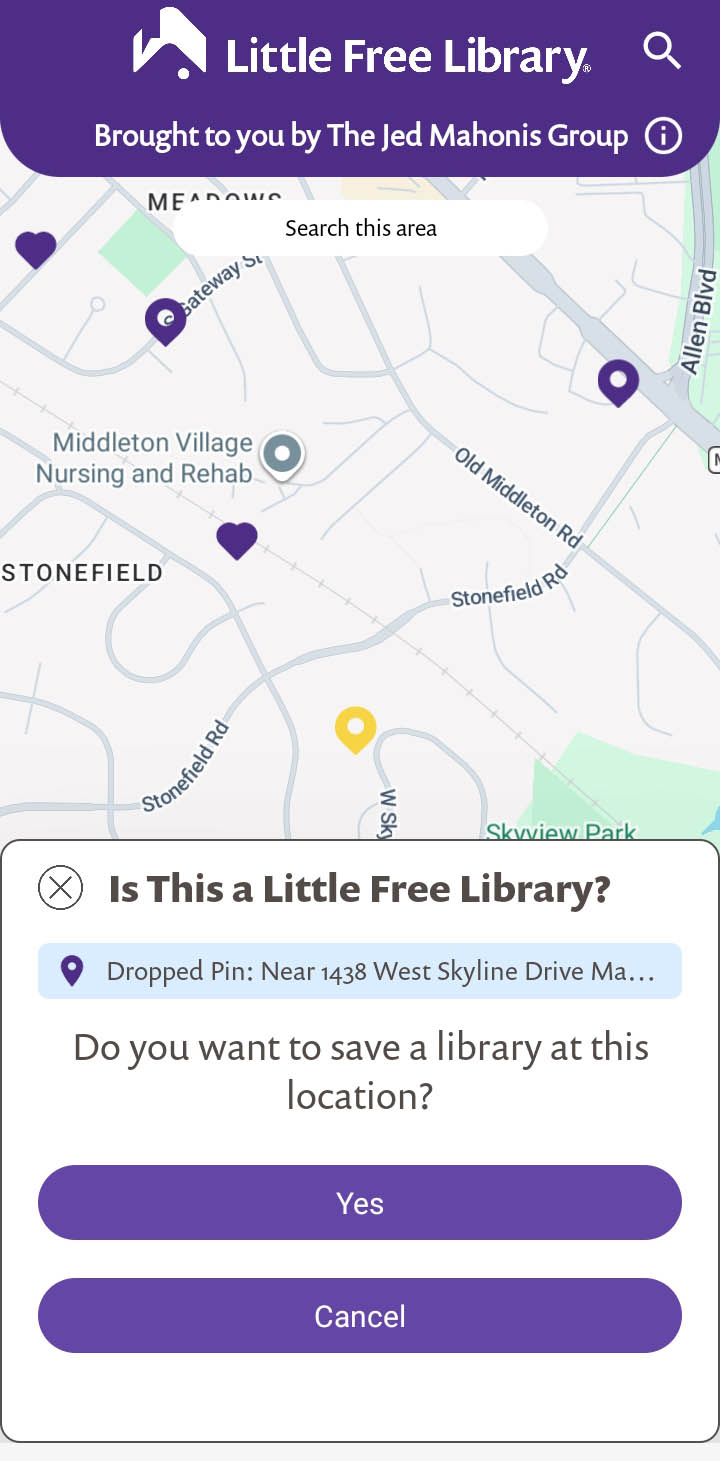
Here’s how it works:
- Open the Little Free Library mobile app.
- Log in to your account (or create an account if you don’t have one).
- Zoom in on the map to the exact spot where the book-sharing box is located. Tap and hold for 1 – 2 seconds.
- A yellow pin and a prompt will appear asking if you want to save a Little Free Library to this location. Tap Yes.
- A new prompt will appear asking if this book-sharing box is registered. Select an option to indicate if the library is registered with a charter number or not. Tap Next.
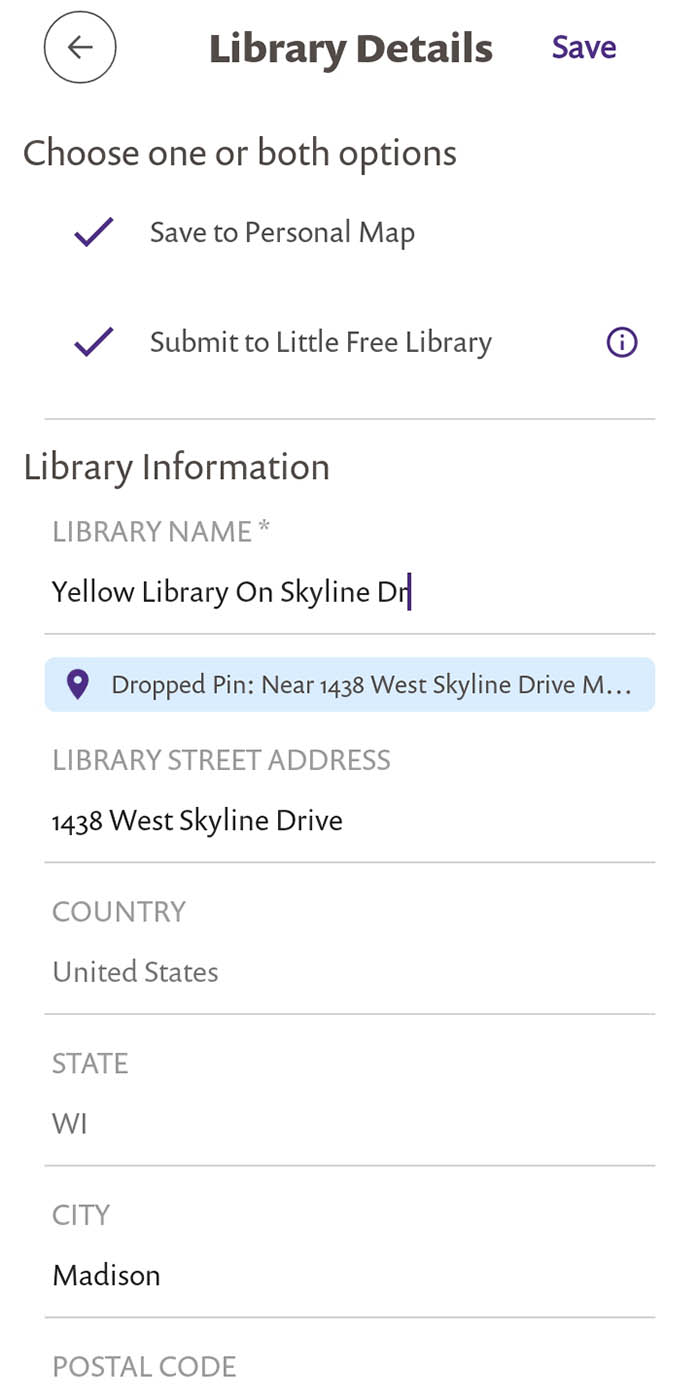
- Fill in additional details about the location. The app will suggest an address based on the pin’s location, but you may edit the address as needed. Give it a name and add notes if you wish. Taking photos of unregistered locations is not an option at this time.
- Once you have filled in the details, choose to save the location to your personal map, submit it to Little Free Library, or both. Tap Save.
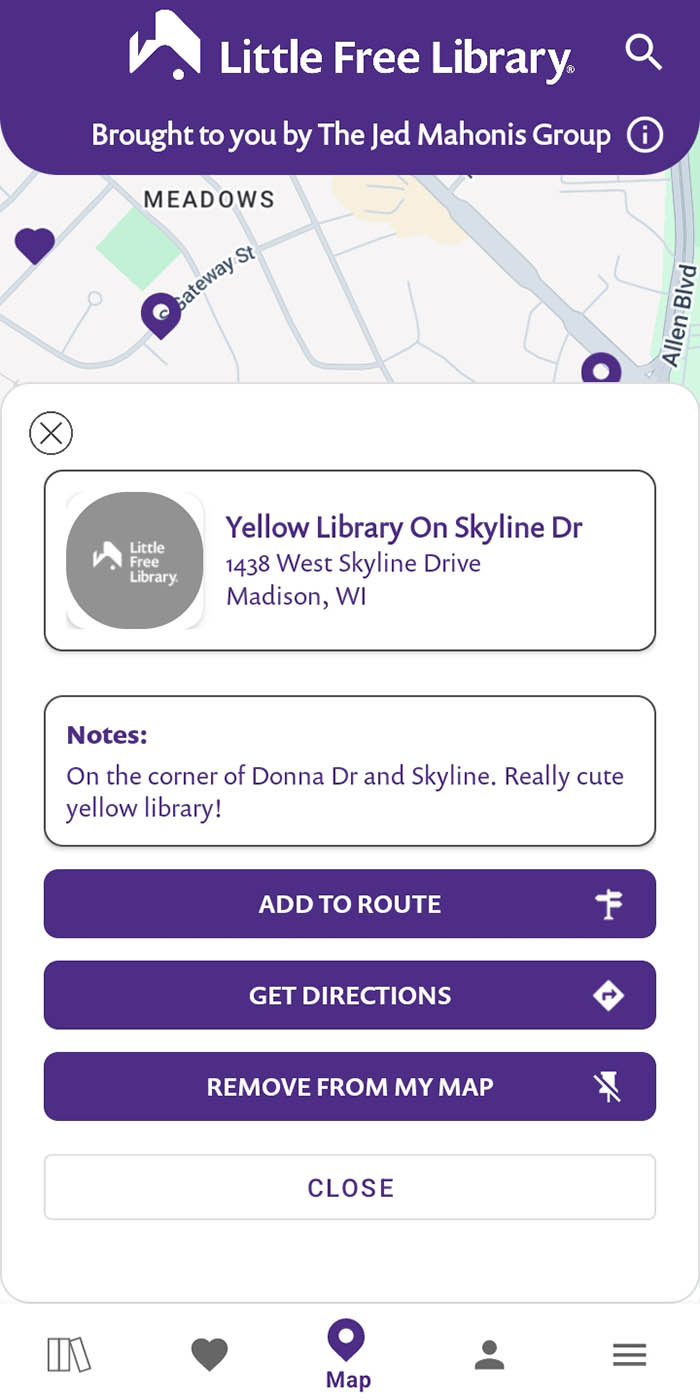
Success! You saved this location to your personal map. It appears as a yellow pin. It is only visible to you within your mobile app account. Nobody else can see unregistered or unmapped locations that you save to your account and these locations cannot be shared. Additional features like check-ins, favorites, etc. are not available for unregistered or unmapped locations.
After you’ve saved the location, tap the yellow pin and you will see several options. You may edit it, remove it from your map, get directions to it, or add it to a route.
What happens if you choose to submit a location to Little Free Library? When you submit a location, it is shared with Little Free Library staff to help make our map as complete as possible! If you submit a registered but unmapped location, we may use that information to reach out to the steward to encourage them to map their library.
Important: unregistered or unmapped locations DO NOT appear publicly on Little Free Library’s world map. Our map only shows registered Little Free Library book-sharing boxes whose stewards have chosen to share their library locations publicly. This feature only allows individual mobile app users to save locations they find to their personal accounts.